Could billing itself
become conversational?

Could billing itself become conversational?

Product Recording

Talk to Bill is an AI-powered voice billing feature inside Table. In 60 days,
it reached 16,000 users and 100K+ transactions across 10 languages,
not because it was technically impressive, but because the design made
an unfamiliar interaction feel immediately trustworthy.
16K USERS
Active users in first
60 days after release
100K+ TRANSACTIONS
Real operational billing
transactions via voice
10 LANGUAGES
Supported at launch
including guided onboarding

Role Founding Designer

Role
Founding Designer

Feature type AI Voice interaction Core workflow

Feature type
AI Voice interaction Core workflow

Prior signal 52% of users used AI for menu generation

Prior signal
52% of users used AI for menu generation

Collaborators Director of Product,Engineering, QA

Collaborators
Director of Product,Engineering, QA

Product Recording

Why this existed

From the beginning, Table was meant to feel design-led
& differentiated. This was the most ambitious bet toward that goal.

After the MVP, one signal stood out: 52% of users used AI tools to generate their restaurant menus.
That wasn't a small feature adoption, it was evidence that this audience was open to AI if it genuinely reduced effort.
The question became - how far could that go?

Manual billing was already fast. But voice billing, if it worked, could be faster while also giving Table a product identity
that no competitor in the category had.
That combination, speed plus differentiation made this worth betting on.
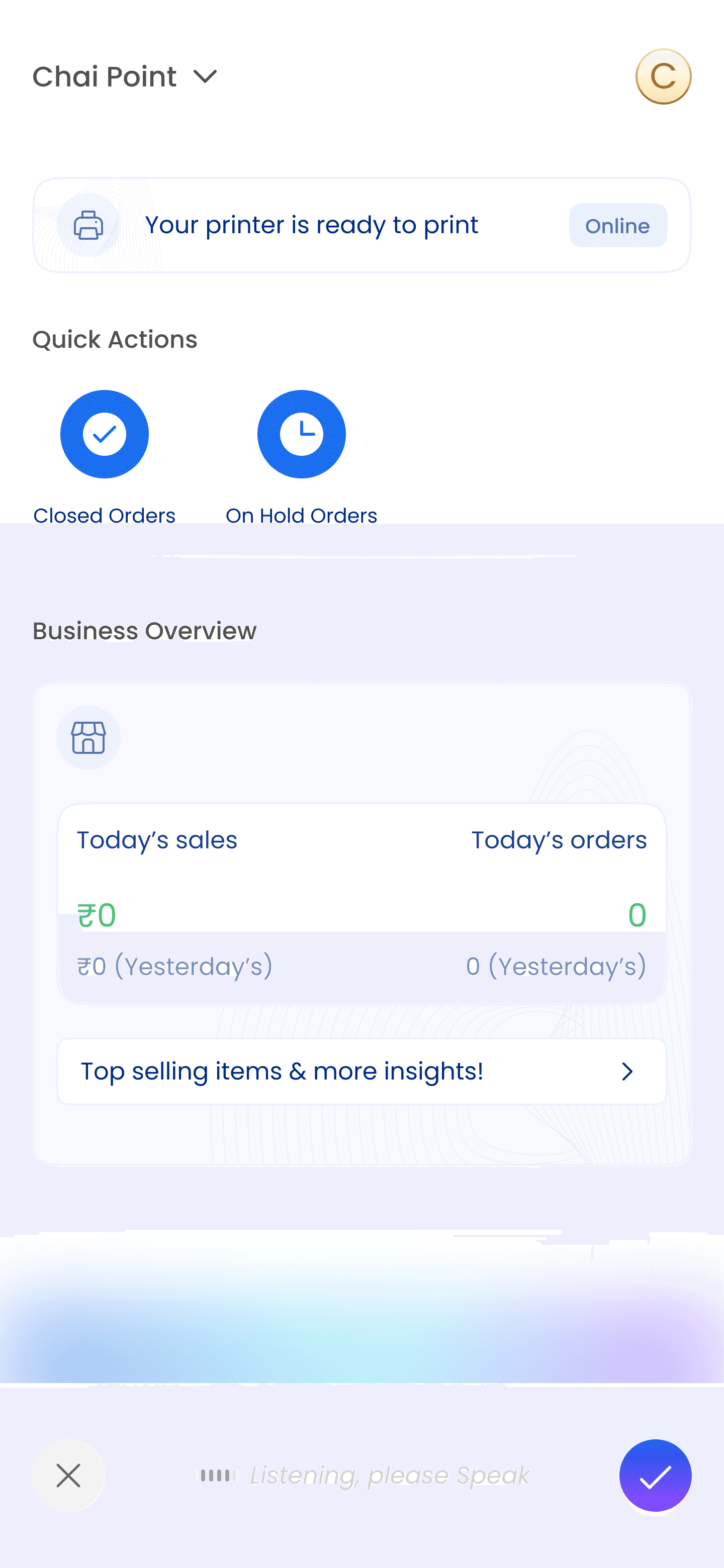
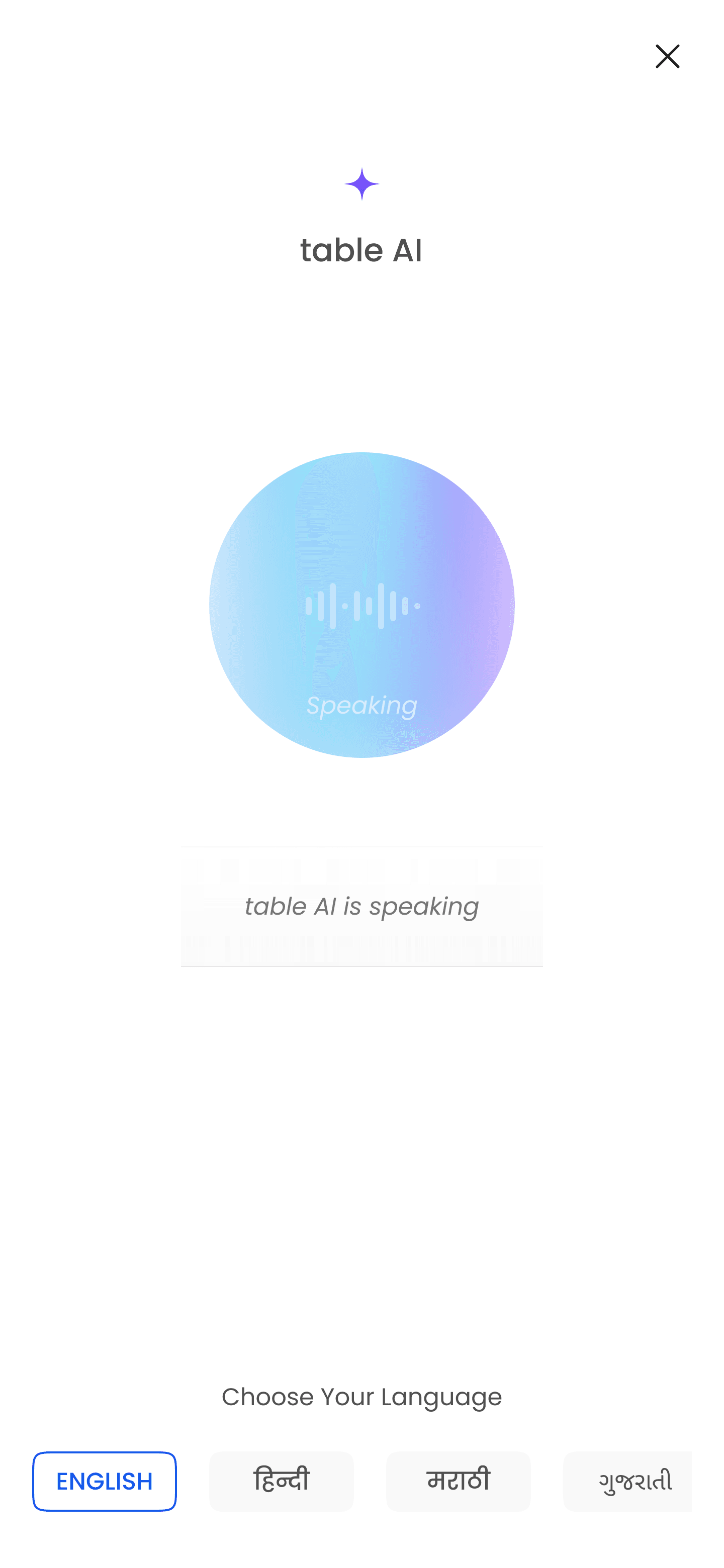
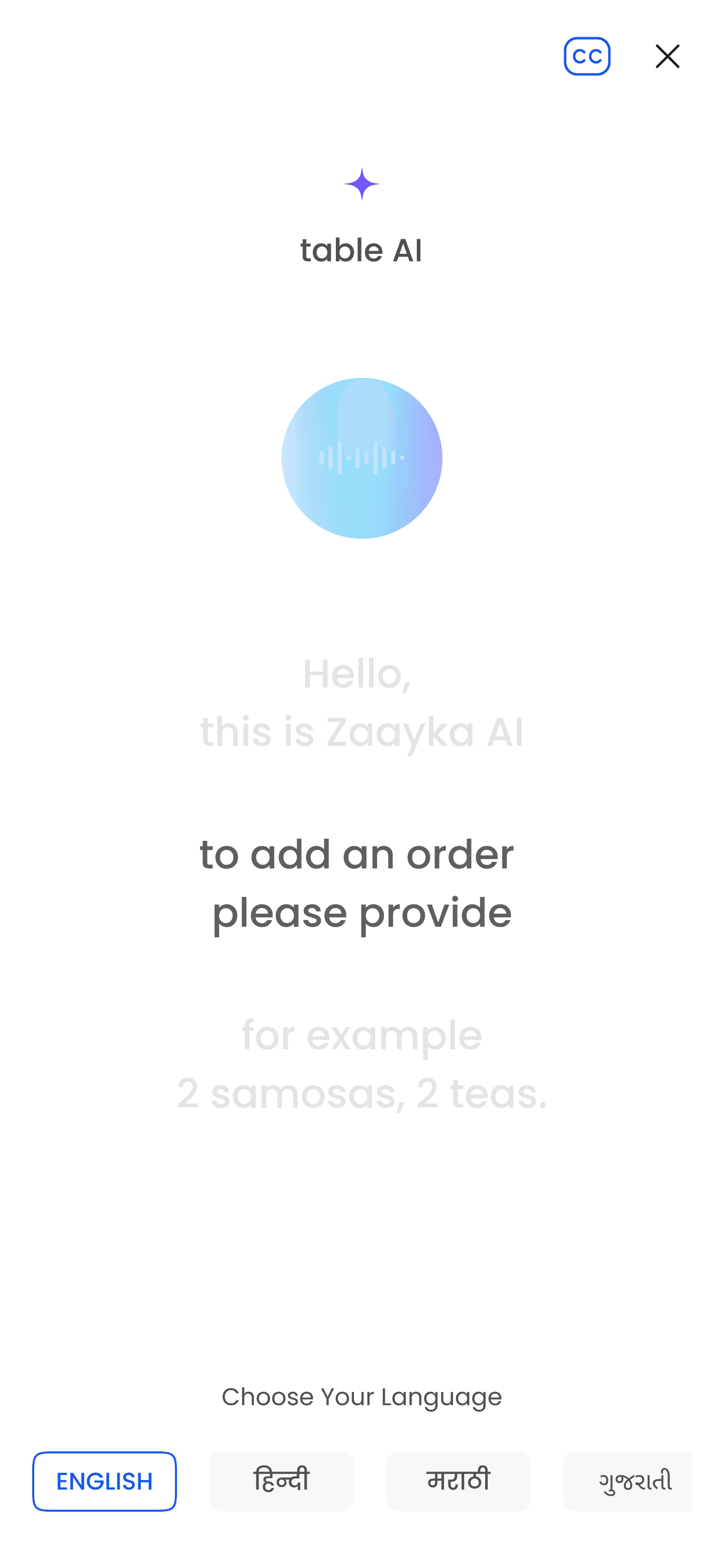
Talk to bill

Onboarding

With caption on

The product goal

Make billing faster in real restaurant workflows. Create a differentiated product identity. Move AI from a helpful assistive layer into the core transactional workflow. The feature had to win on utility, not novelty.

RESEARCH

The real problem was not voice. It was adoption.

This project had no strong category benchmark. That was liberating and risky at the same time.
Three constraints shaped every design decision.

Constraint 1

No benchmark

Users with smaller menus adding items directly from the default view. The current design already served them well.

Constraint 2

Speed was non-negotiable

A voice feature that was slower than manual billing would fail immediately, even if it was technically impressive. The bar was real-world utility, not demo quality.

Constraint 3

Adoption window: 10–15 sec

Users who didn't understand the value quickly enough would abandon before the feature had a chance. The design had to communicate value within the first interaction, not the second.

  • Constraint 1

    No benchmark

    Users with smaller menus adding items directly from the default view. The current design already served them well.

  • Constraint 2

    Speed was non-negotiable

    A voice feature that was slower than manual billing would fail immediately, even if it was technically impressive. The bar was real-world utility, not demo quality.

  • Constraint 3

    Adoption window: 10–15 sec

    Users who didn't understand the value quickly enough would abandon before the feature had a chance. The design had to communicate value within the first interaction, not the second.

How do we make a completely unfamiliar
AI workflow feel immediately understandable?

The insight that unlocked confidence in voice-first came from outside the product.
Users who were not deeply technical regularly used voice search on YouTube.
Not because they were tech-forward, but because the interface made the value obvious immediately.
Voice wasn't the barrier. Fear of trying something new was. That was a solvable design problem.

Design Interaction model

The first obvious idea was a chat interface.
It was also the wrong one.

A chat-first model felt familiar as users type or speak, see the prompt on screen, review the result.
But it failed the one test that mattered: it was slower than manual billing.
For a feature designed around speed, that was a dead end.

The better reference was Siri, not the conversational UI, but the underlying interaction principle.
If the system understood the request, it acted immediately.
If it didn't, it surfaced the most useful next step instead of failing.

Discarded approach

Chat interface

Type or speak → see prompt on screen → review generated result. Familiar but slower than manual. Wrong tradeoff for a speed-first workflow.

Final model

Confidence-adaptive voice

System acts immediately when confident.
Gracefully guides when ambiguous. Never fails silenty.

# Clear request + items available: bill created instantly

# Missing item: show path to add it

# Multiple similar items: ask for clarification

# Partial confidence: surface closest useful next step

System acts immediately when confident.
Gracefully guides when ambiguous. Never fails silenty.

# Clear request + items available: bill
created instantly

# Missing item: show path to add it

# Multiple similar items: ask for clarification

# Partial confidence: surface closest useful
next step

Voice + screen had to coexist

A full-screen voice layer like Siri would have been the wrong pattern. While creating an order, users might need to check the menu, scan item names, verify availability, or decide what to add next. The interface had to let voice input and screen context work together without one dominating the other.

What I was designing for

Not an AI assistant. Something closer to sending a voice note and watching something happen immediately. That mental model was familiar, low-intimidation, and already in users' behavioral vocabulary.

  • Voice + screen had to coexist

    A full-screen voice layer like Siri would have been the wrong pattern. While creating an order, users might need to check the menu, scan item names, verify availability, or decide what to add next. The interface had to let voice input and screen context work together without one dominating the other.

  • What I was designing for

    Not an AI assistant. Something closer to sending a voice note and watching something happen immediately. That mental model was familiar, low-intimidation, and already in users' behavioral vocabulary.

Design Onboarding

Onboarding was not a side problem.
It was the product problem.

The feature experience mattered. But the onboarding mattered more. A technically excellent feature
that users didn't understand on first use would collapse before the product had a chance to prove itself.
The question was: how do you onboard someone into something they've never done before?

# 1

Short video-led education

This audience was already highly fluent in short-form video through YouTube Shorts and Reels. Instead of a text-heavy walkthrough, a 30–40 second video showed the feature in action. Goal: make the value obvious, reduce intimidation, generate enough curiosity to attempt it.

This audience was already highly fluent in short-form video through YouTube Shorts and Reels. Instead of a text-heavy walkthrough, a 30–40 second video showed the feature in action. Goal: make the value obvious, reduce intimidation, generate enough curiosity to attempt it.

# 2

Guided first-use assistant

Not everyone watches the video. For users who skipped it or needed hands-on help, a second layer: a guided assistant that felt nothing like onboarding. Instead of explaining the feature, it helped users experience success directly — creating their first bill or adding their first item through voice. Available in all 10 languages.

Product Recording

Impact

In 60 days,
it moved from an experiment to a real user behavior.

The numbers mattered, but what they represented mattered more. 100K+ transactions wasn't just a usage metric,
it was evidence that users were trusting a new interaction model in real operational workflows.
Not curious users trying something once, but restaurant owners billing actual customers through voice, repeatedly.

Before Talk to Bill, AI in Table meant menu generation, a helpful assistive layer.
After it, AI was in the core transactional workflow. That shift repositioned Table as more than a simplified billing product
& gave it a product identity that competitors in the category couldn't match.

What this changed about AI inside Table

This was one of the clearest examples of using AI not as decoration, but as a way to rethink the workflow itself. The GTM section on Home - which was designed during the FTU & Home redesign, became a high-traffic entry point specifically because users were coming back to test and re-use Talk to Bill capabilities.

Reflection

This is the kind of problem I work best on.

The feature experience mattered. But the onboarding mattered more. A technically excellent feature
that users didn't understand on first use would collapse before the product had a chance to prove itself.
The question was: how do you onboard someone into something they've never done before?

# 1

On designing for
low-tech audiences

The instinct to oversimplify for non-technical users is usually wrong. The real problem isn't the audience's ability — it's whether the product makes the value clear fast enough and removes the fear of a first attempt. When those two things are solved, capability follows.

# 2

On the chat interface decision

The first obvious answer was wrong. That's normal. What mattered was having a clear test for "wrong" — in this case, speed versus manual billing. Without that test, the chat interface would have shipped. Good feature design requires a falsifiable definition of success before you start building.

# 3

On AI as a design problem

AI features don't fail because the model is wrong. They fail because users don't trust them enough to try, and don't understand them quickly enough to persist. The design problem is trust and onboarding, not capability. Get those right and the adoption follows.

# 4

On what this project says
about how I work

Turning ambiguous product bets into shippable, adopted experiences. Designing for real-world users rather than ideal users. Thinking beyond the interface into trust, education, and workflow change. That's the work I find most meaningful — and this project is one of the clearest examples of it.

  • # 1

    On designing for
    low-tech audiences

    The instinct to oversimplify for non-technical users is usually wrong. The real problem isn't the audience's ability — it's whether the product makes the value clear fast enough and removes the fear of a first attempt. When those two things are solved, capability follows.

    # 2

    On the chat interface decision

    The first obvious answer was wrong. That's normal. What mattered was having a clear test for "wrong" — in this case, speed versus manual billing. Without that test, the chat interface would have shipped. Good feature design requires a falsifiable definition of success before you start building.

  • # 3

    On AI as a design problem

    AI features don't fail because the model is wrong. They fail because users don't trust them enough to try, and don't understand them quickly enough to persist. The design problem is trust and onboarding, not capability. Get those right and the adoption follows.

    # 4

    On what this project says
    about how I work

    Turning ambiguous product bets into shippable, adopted experiences. Designing for real-world users rather than ideal users. Thinking beyond the interface into trust, education, and workflow change. That's the work I find most meaningful — and this project is one of the clearest examples of it.

Summarised by sahil.ai

Talk to Bill (ai feature)

The table team had one question, could billing itself become conversational? Sahil built Talk to Bill, a voice-first billing feature that let restaurant owners create bills by simply speaking. The real design challenge wasn't the technology, it was making something completely unfamiliar feel immediately trustworthy to users who weren't especially technical. The onboarding was designed in two layers, drawing inspiration from how older users interact with YouTube voice search, and shipped in 10 languages. In the first 60 days - 16,000 users, 100,000+ transactions, and a feature that moved AI from a helpful add-on into the core of how billing works.

100K+ Transaction

in 60 Days