Designing billing that happens
in 5 seconds.

Designing billing that happens
in 5 seconds.

Table needed its most repeated workflow to feel invisible. Three versions, six months,
and a fundamental shift in how we thought about who we were designing for.

Product Recording

10%
Increase in MAU
from billing + FTU
Revamp
32%
Users adopted
category-led billing
28%
Regular customer saves
up from 5%
16%
Users completed bills
via search-first flow.
16K USERS
Active users in first
60 days after release
100K+ TRANSACTIONS
Real operational billing
transactions via voice
10 LANGUAGES
Supported at launch
including guided onboarding

Role
Founding Designer

Timeline
6 months, 3 versions

Collaborators
Director of Product,Engineering,
QA

Research tools
Microsoft Clarity, CleverTap

Role Founding Designer

Timeline 6 months, 3 versions

Collaborators Director of Product,Engineering, QA

Research tools Microsoft Clarity, CleverTap

Idea Behind the Billing Flow

For small restaurants, billing is the product.

Table is a billing product for small restaurants. The screen where owners add items, generate KOTs,
assign tables, capture customers, select payment mode, apply discounts, and print receipts.

Every order ends here. At this stage, Table was still proving product-market fit in a new category.
This meant one thing clearly: if the core billing loop felt slow or broken, users had no reason to come back.
No downstream feature could compensate for a bad first loop.

The constraint that shaped everything

Most orders in small restaurants involve only 2โ€“3 items. The need wasn't depth of review, it was fast selection and confident completion. Speed wasn't a feature request. It was the product requirement.

RESEARCH

What billers actually do vs. what we assumed they'd need.

Before designing, I spent time observing how small restaurant owners create bills in real operations.
Not in interviews, but watching the actual workflow happen.
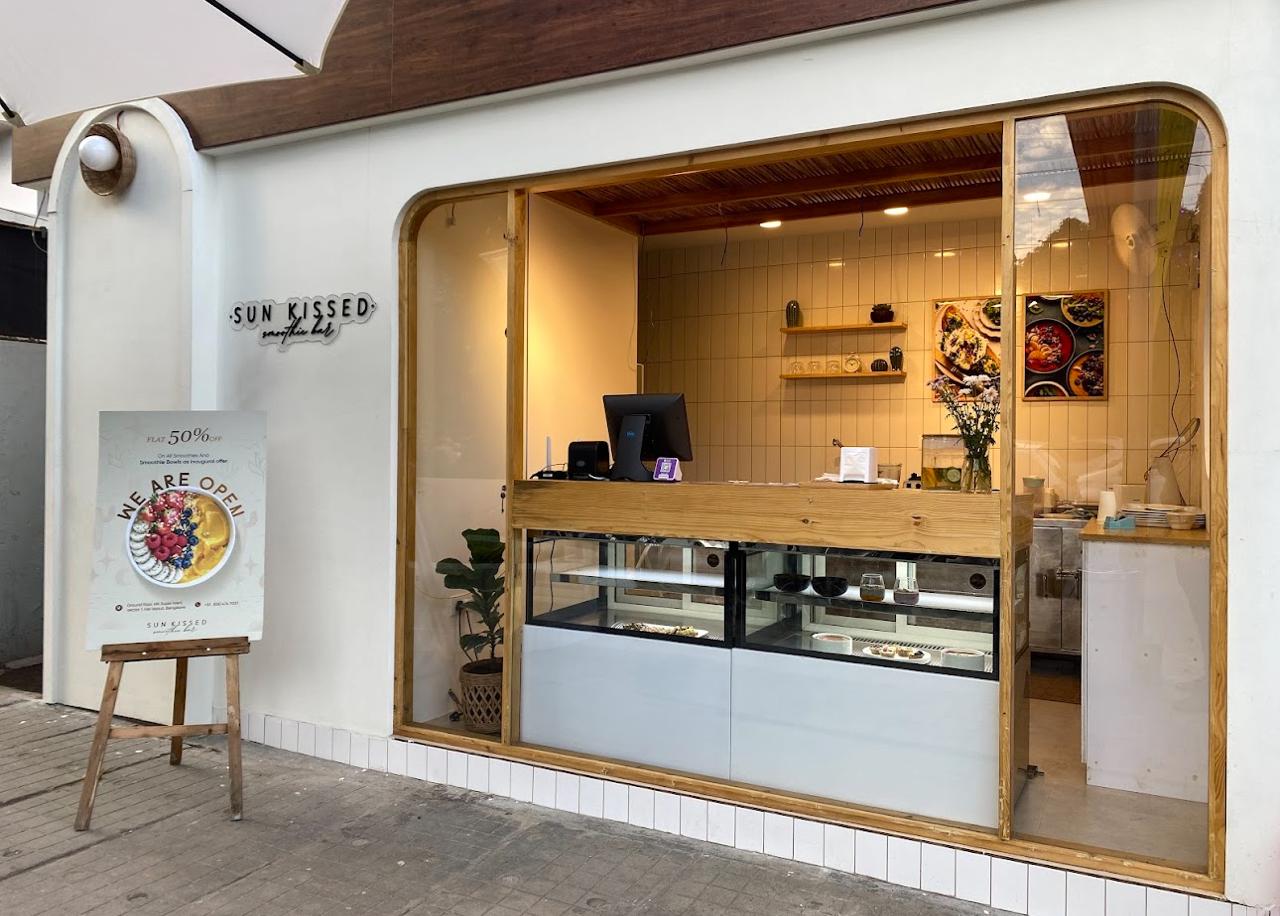
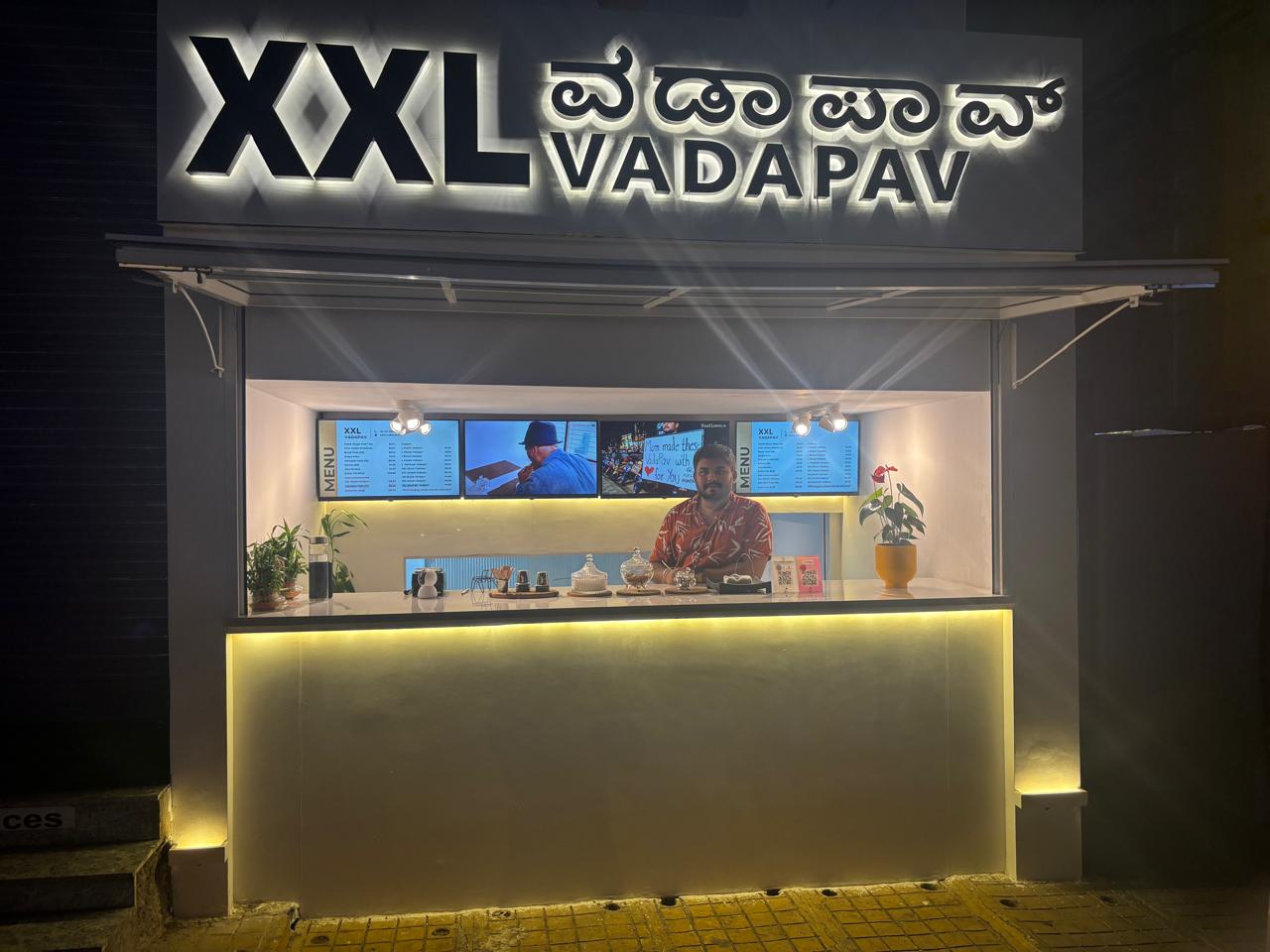
Field research

#1 Most users were simply adding items and generating a bill or KOT, the core loop was minimal

#1 Most users were simply adding items and
generating a bill or KOT, the core loop was
minimal

#2 Some cafรฉs occasionally captured customer name and phone number for WhatsApp marketing

#2 Some cafรฉs occasionally captured
customer name and phone number for
WhatsApp marketing

#3 For smaller restaurants, extra metadata was used far less often than expected

#3 For smaller restaurants, extra metadata
was used far less often than expected

#4 Speed and error prevention mattered significantly more than billing complexity or feature richness

#4 Speed and error prevention mattered
significantly more than billing complexity
or feature richness

The ideal path was: select item โ†’ generate bill.

So instead of optimizing for feature richness, I optimized for the shortest useful path.

So instead of optimizing for feature richness,
I optimized for the shortest useful path.

This research produced one clear design principle: the workflow had to be built around the most common action,
not around optional fields that only a fraction of users would use. Optional features could live in the flow,
they just couldn't tax the majority who never needed them.

VERSION 1 MVP
Billing View

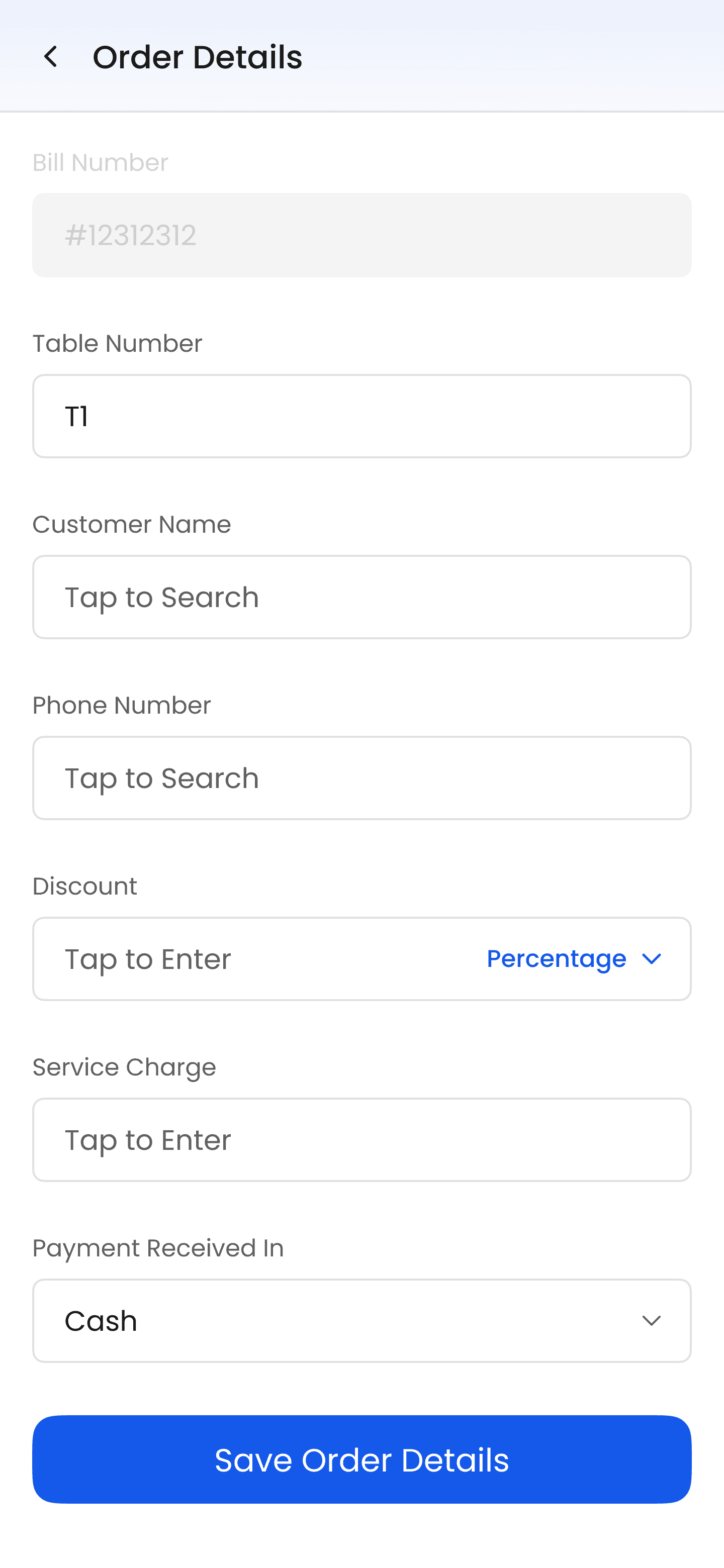
Order Details

What billers actually do vs. what we assumed they'd need.

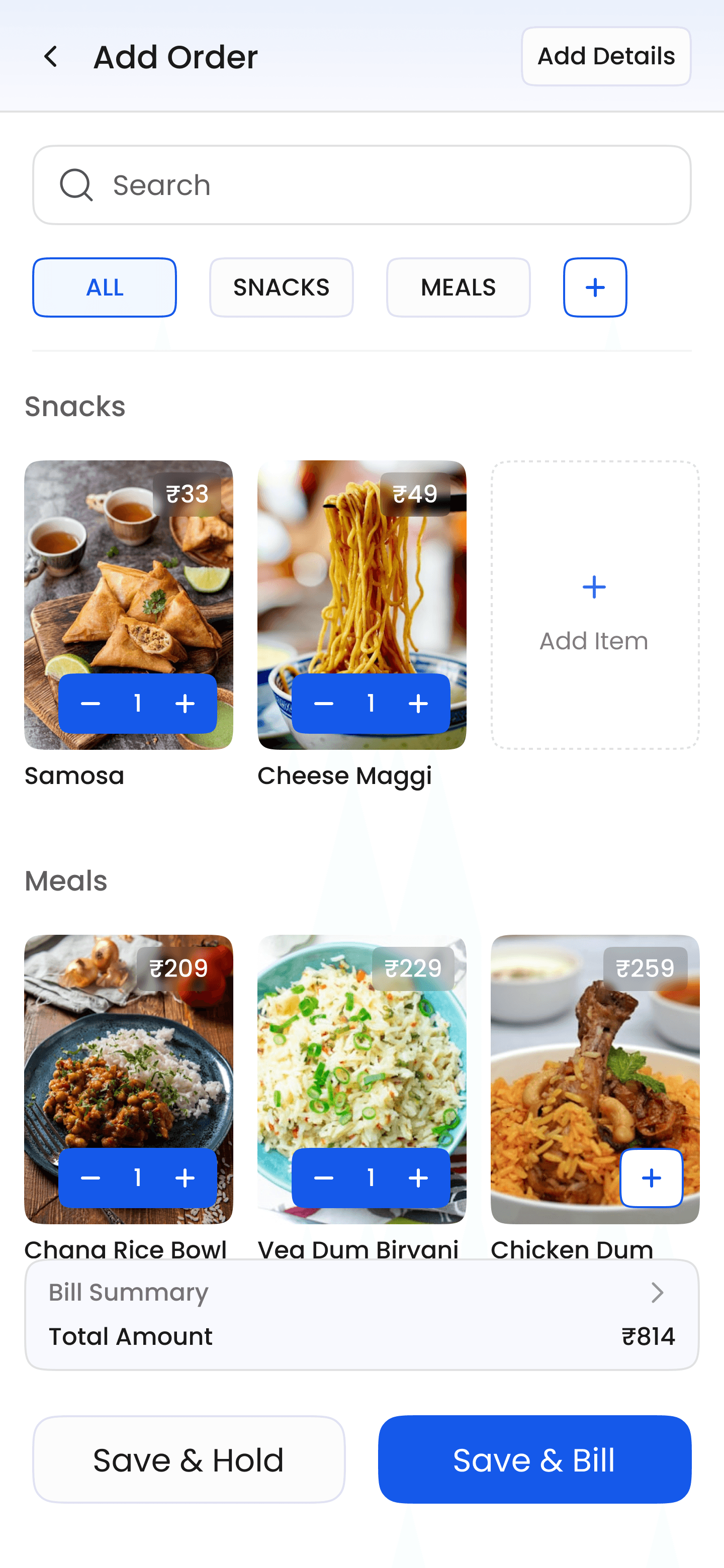
V1 was built on a single hypothesis, that layout density would directly drive billing speed. If users could see more

items at once, they could scan, select, and add without navigating. Since food decisions are often visual

and menu recall builds quickly, I leaned into an image-heavy grid layout where the item image came first,

name second, price third, and the add CTA was clearly accessible.


There were suggestions to follow consumer food-app patterns where each row focused on a single item.
That pattern optimizes for discovery. This workflow optimizes for repetition. Those are different problems.

What V1 got right

#1 Fast visual scanning with maximum items visible

#1 Fast visual scanning with maximum items
visible

#2 Direct add actions without intermediate steps

#2 Direct add actions without intermediate
steps

#3 Strong density suited to small menus

#4 Layout felt precise rather than decorative

#4 Layout felt precise rather than
decorative

What V1 got Wrong

#1 KOT treated as secondary, post-launch signals
showed it was essential for a meaningful segment

#1 KOT treated as secondary, post-launch
signals showed it was essential for a
meaningful segment

#2 A fast UI is not enough if the workflow doesn't match
how restaurants actually operate

#2 A fast UI is not enough if the workflow
doesn't match how restaurants actually
operate

What I chose not to redesign yet

Table number assignment was auto-set in V1, and users were rarely changing it. The signal was ambiguous,

low interaction could mean the control was buried, or it could mean auto-assignment was already working.

Since it wasn't creating visible friction elsewhere, I held off and prioritized higher-friction behaviors first.

VERSION 2 POST-LAUNCH

Billing View

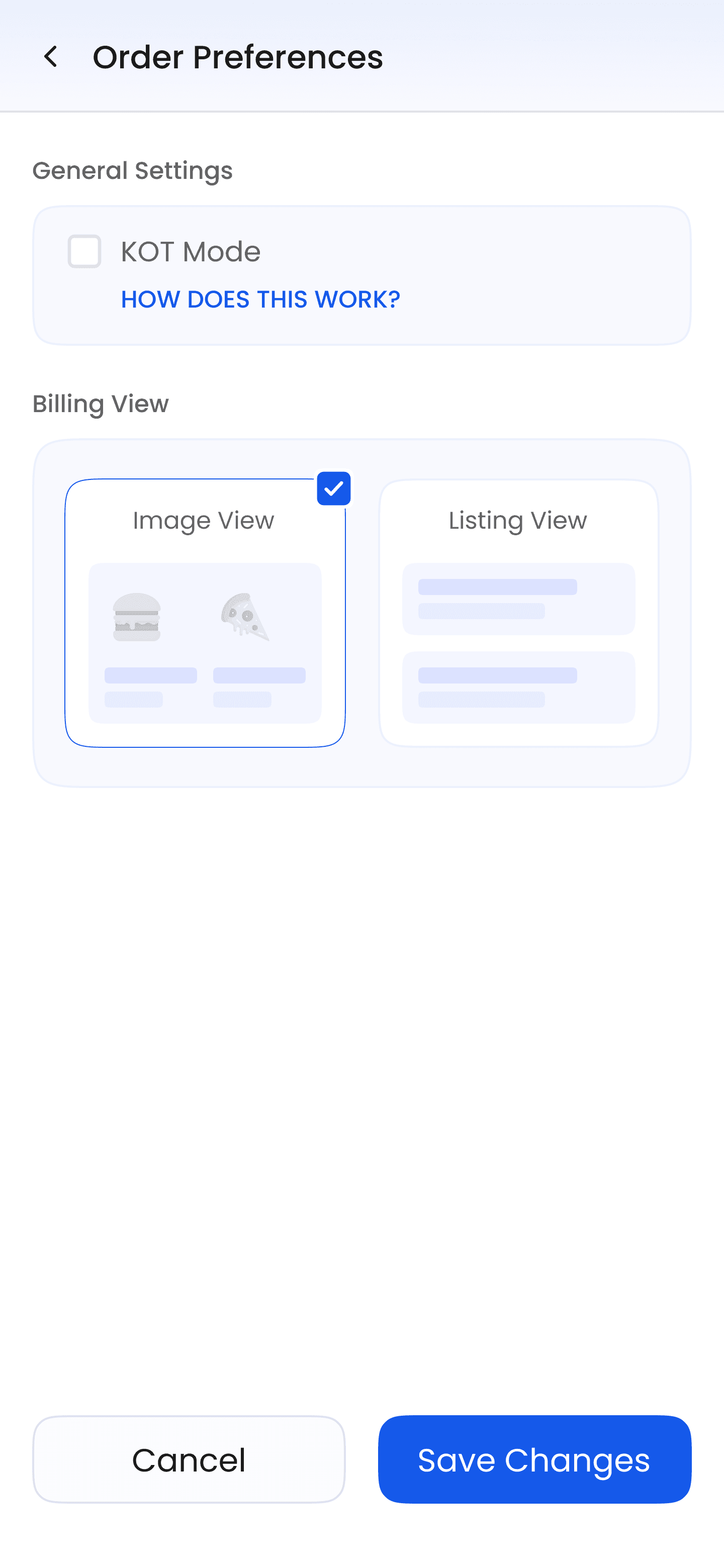
KOT Mode

The first release exposed what mattered more than expected

After 10,000 logins, behavior patterns clarified which assumptions had been wrong. I studied events

in CleverTap and watched sessions in Microsoft Clarity.

#1 Users were not adding regular customers as much as expected,
the entry point wasn't visible enough

#1 Users were not adding regular
customers as much as expected, the
entry point wasn't visible enough

#2 A meaningful share of users were still routing payment mode through the Add Details section

#2 A meaningful share of users were still
routing payment mode through the Add
Details section

#3 KOT was more operationally important than initially scoped,
restaurants using kitchen ticket workflows needed it to adopt the product at all

#3 KOT was more operationally important
than initially scoped, restaurants using
kitchen ticket workflows needed it to
adopt the product at all

#4 Item image adoption remained low despite the image-heavy layout design

#4 Item image adoption remained low
despite the image-heavy layout design

Changes made in V2

CHANGE 1

Introduced KOT after confirming the need was stronger than the MVP assumption
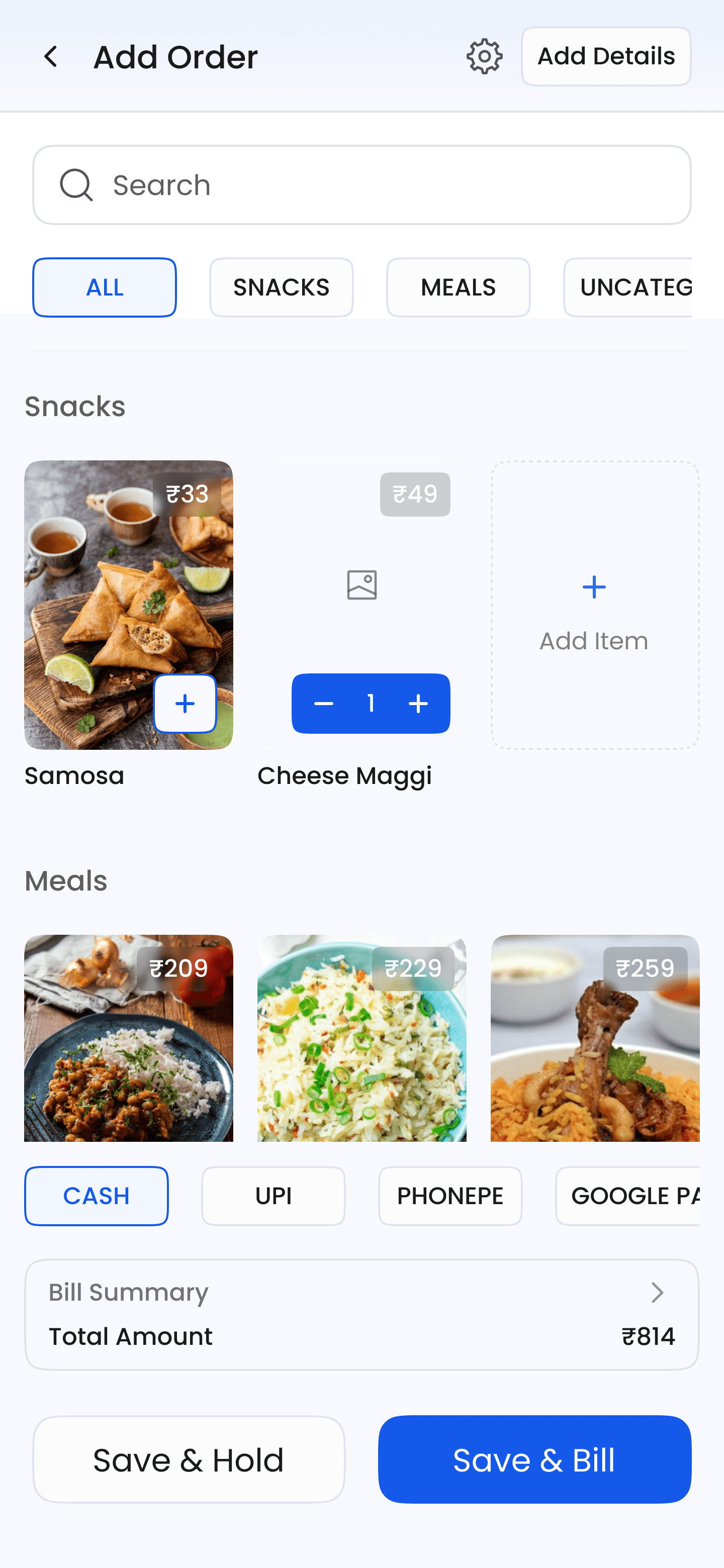
CHANGE 2

Brought payment mode closer to the billing workflow, reduced the detour through Add Details

CHANGE 3

Introduced screen-level settings, so each page's configuration stayed close to its own workflow

The harder call

Not every weak signal deserved an immediate UI change. KOT, payment mode, and search friction had clear enough signals to act on. Table number assignment was still ambiguous. I chose to protect billing speed and leave ambiguous signals alone until I had stronger evidence.

VERSION 3 STRUCTURAL REDESIGN
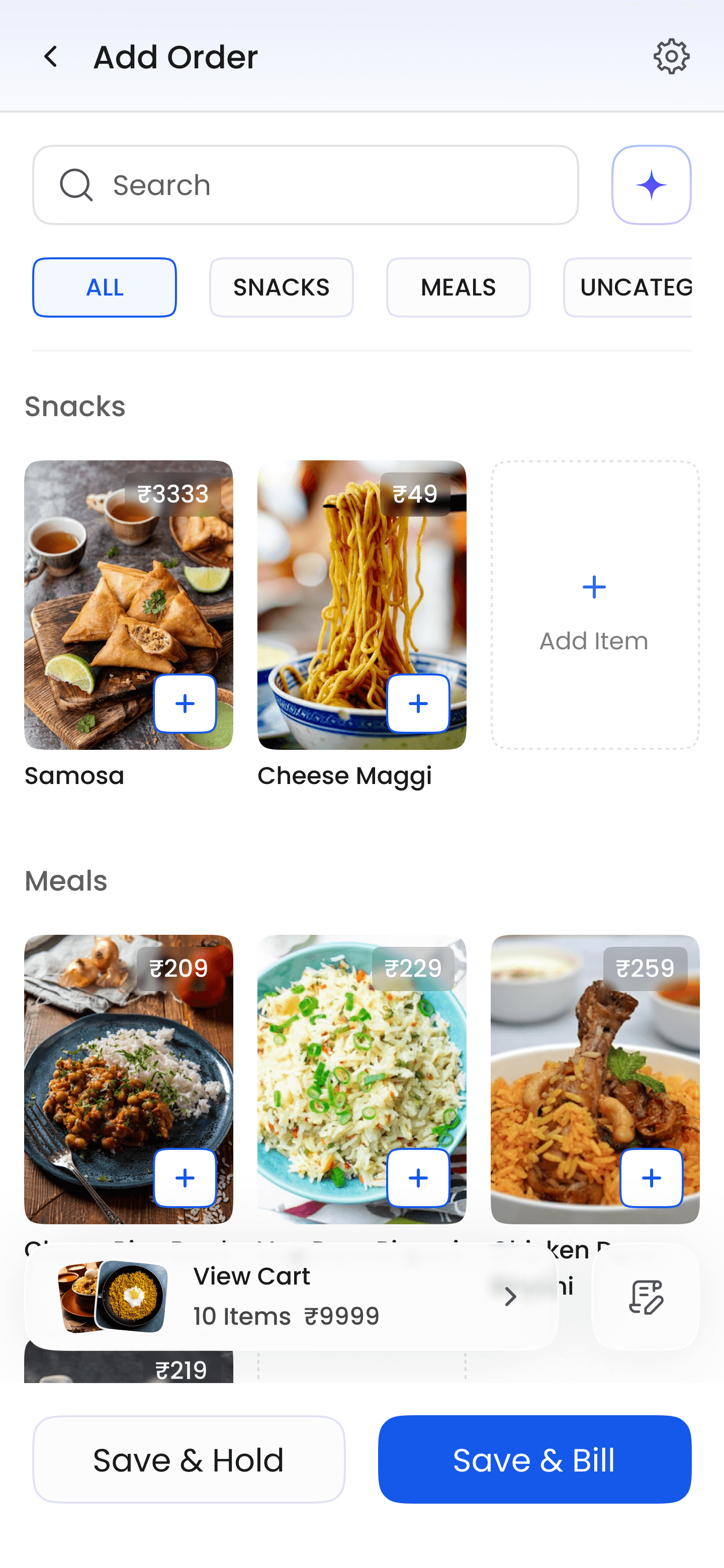
Image Layout

Search & Add

Listing Layout

The real breakthrough came when I stopped treating
all billers as the same user.

By V3, the problem was no longer just speed. It was mismatch.

Deeper analysis of CleverTap events and Clarity session recordings revealed

that users weren't billing in the same way,
three distinct patterns had emerged, and the existing interface was optimized for only one of them.

Pattern 1

Direct from list

Users with smaller menus adding items directly from the default view. The current design already served them well.

Pattern 2

Category-first

More common in restaurants with larger menus. These users were struggling with excessive scrolling,
a friction point the design wasn't addressing.

Pattern 3

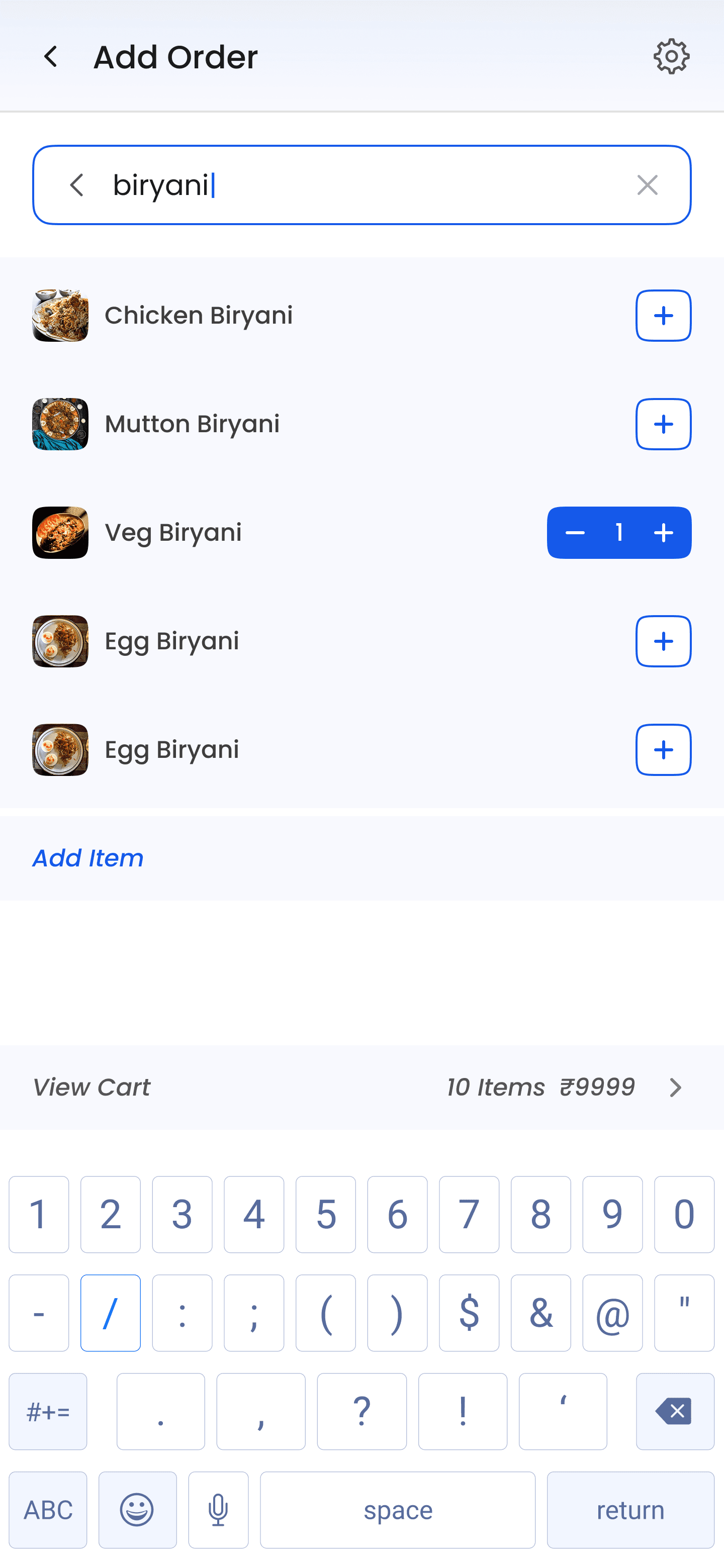
Search-first

16% of all users. Search found the
item, but couldn't add it. Users had to exit search and navigate back to complete the action. Completely avoidable friction.

Changes made in V3
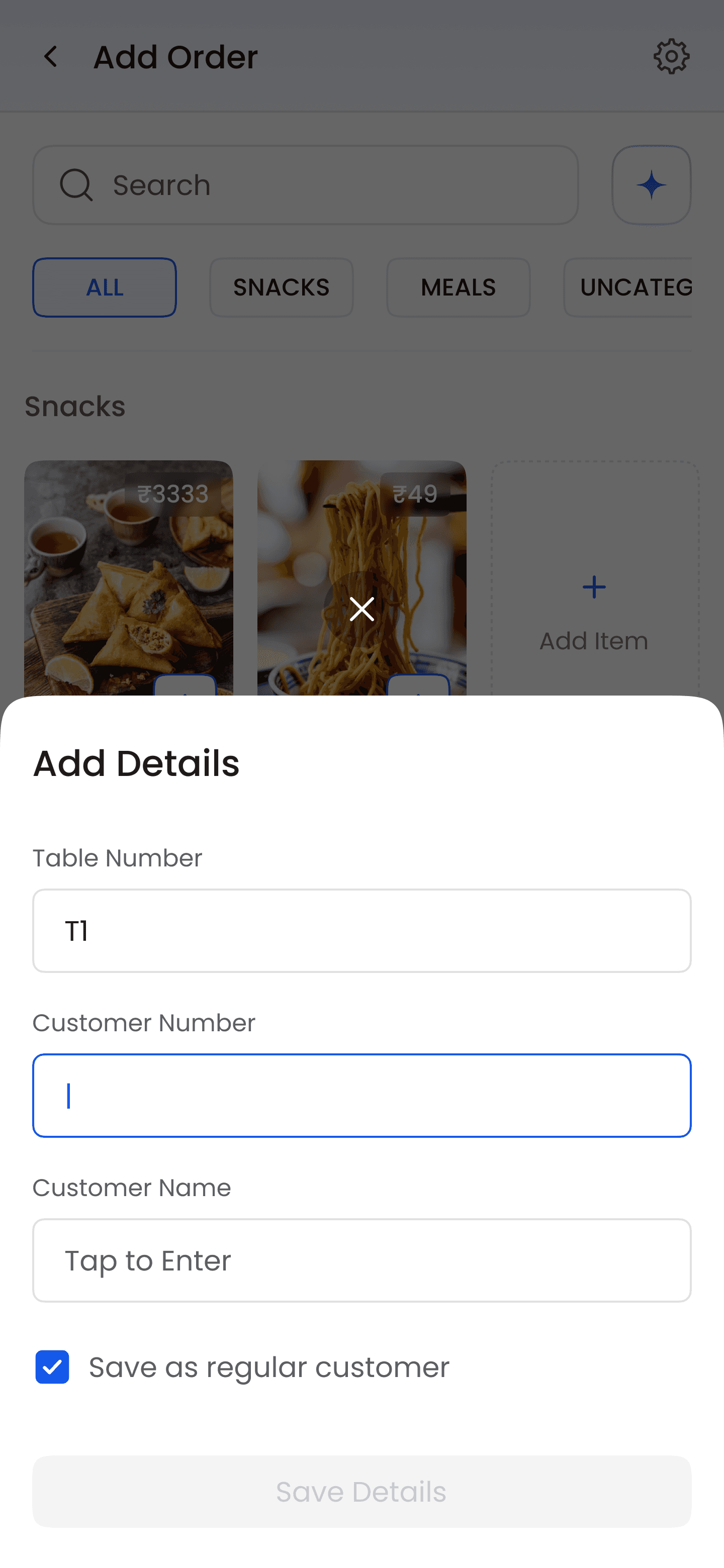
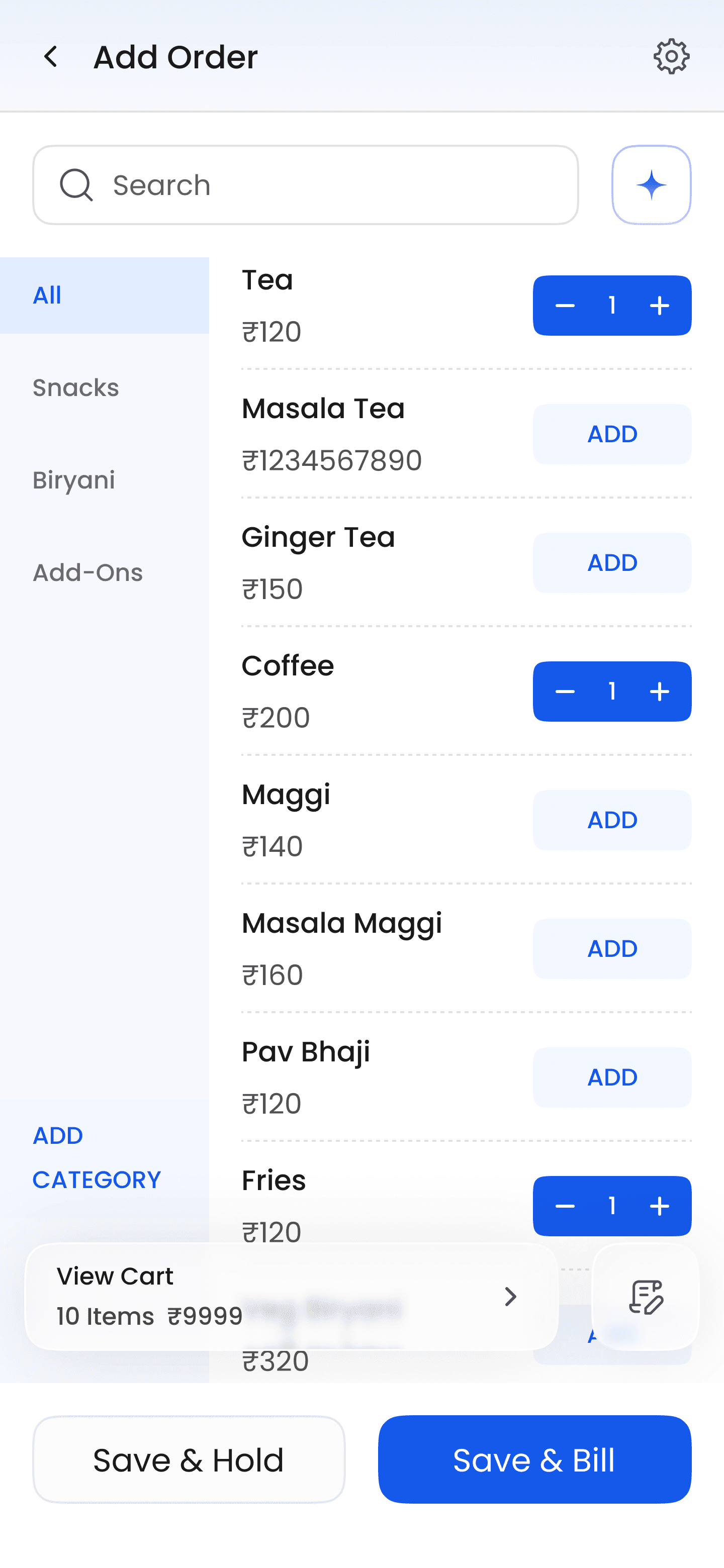
Category-first users

Introduced for users navigating categories first. After V3, 32% adopted this path, confirming the behavior was real and widespread.

Search-first users

Users no longer had to exit search to complete the action they'd already committed to. Eliminated a friction loop entirely.

Cart and editability

Replaced a preview-only step with a visible cart. Users could see and edit their order in progress without relying on preview.

  • Category-first users

    Introduced for users navigating categories first. After V3, 32% adopted this path, confirming the behavior was real and widespread.

  • Search-first users

    Users no longer had to exit search to complete the action they'd already committed to. Eliminated a friction loop entirely.

  • Cart and editability

    Replaced a preview-only step with a visible cart. Users could see and edit their order in progress without relying on preview.

Customer capture and payment flow

Customer info made more visible. Payment mode moved into the cart flow reduced clutter while improving access. Both in one structural change.

Image adoption

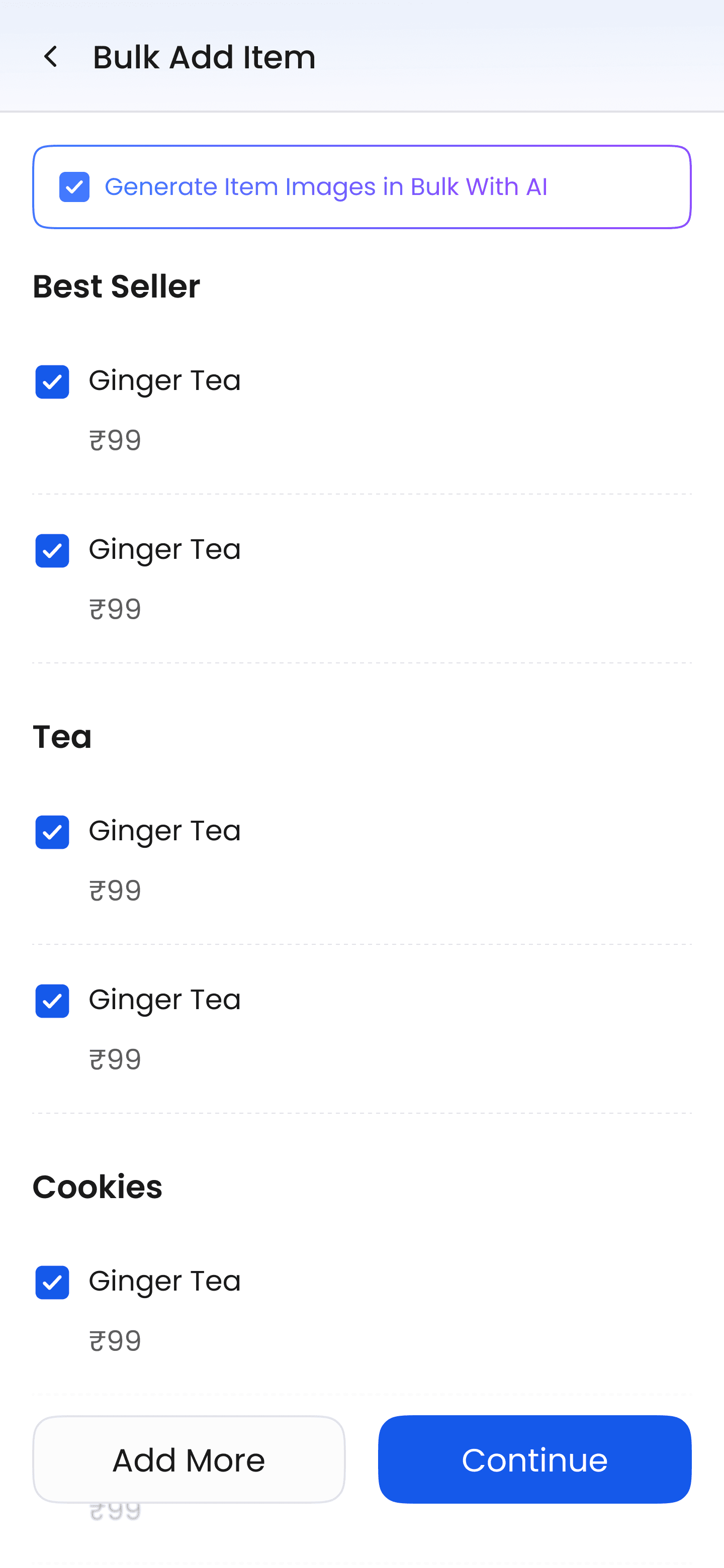
Low image adoption had been a known gap since V1. In V3, bulk image generation was introduced significantly improving item coverage across the board.

  • Customer capture and payment flow

    Customer info made more visible. Payment mode moved into the cart flow reduced clutter while improving access. Both in one structural change.

  • Image adoption

    Low image adoption had been a known gap since V1. In V3, bulk image generation was introduced significantly improving item coverage across the board.

IMPACT

Behavior change was the proof.

The strongest validation wasn't qualitative, it was that users started doing things

they hadn't done before. That's a different signal than satisfaction scores or NPS.

Regular customer saves
5% โ†’ 28%
Increase in MAU
from billing + FTU

Category layout adoption
32%
Users selecting into the billing
style that matched their menu complexity
MAU contribution
+10%
Combined billing and FTU improvements, retention signal, not just usability

๐Ÿš€

Better billing design didn't just improve the screen, it improved how people adopted and continued using the product. For a product still finding product-market fit, that distinction matters.

Reflection

Designing for repetition, not one-time delight.

High-frequency experiences are rarely solved through one strong first version.
The real design work in a core workflow isn't the initial layout decision.
It's the discipline to keep observing, to separate real signals from noise,
& to resist adding complexity when the workflow is already working for the majority.

What I'd

do differently

KOT should have been in V1. We had made an assumption about early adoption that wasn't grounded in how these restaurants actually operate.


On metrics as design feedback

Customer save rate moving from 5% to 28% wasn't a UX metric โ€” it was evidence that a feature users had theoretically wanted was now actually usable enough to be used. That's what good workflow design looks like in practice.

The principle I'll carry forward

A workflow can look clean and still fail users if it's designed for one mental model. The V3 breakthrough wasn't a UI improvement, it was recognizing that "billing" wasn't one behavior. That recognition only came from sustained observation.

  • What I'd

    do differently

    KOT should have been in V1. We had made an assumption about early adoption that wasn't grounded in how these restaurants actually operate.


  • On metrics as design feedback

    Customer save rate moving from 5% to 28% wasn't a UX metric โ€” it was evidence that a feature users had theoretically wanted was now actually usable enough to be used. That's what good workflow design looks like in practice.

  • The principle I'll carry forward

    A workflow can look clean and still fail users if it's designed for one mental model. The V3 breakthrough wasn't a UI improvement, it was recognizing that "billing" wasn't one behavior. That recognition only came from sustained observation.

Summarised by sahil.ai

The 5-Second Bill

One goal, help restaurant owners create a bill in 5 seconds. Sahil owned the billing workflow across 3 versions, 6 months, and a lot of behavior data. Somewhere around 10K logins in, he realized something: not everyone bills the same way. That one insight changed everything. He redesigned around three distinct behaviors, and the numbers followed, customer saves went from 5% to 28%, a third of users adopted the new layout, and the product moved MAU by 10%.

1L+ Downloads

4.6โ˜… Ratings

15K+ MAU